
VPlayer: All-in-One Android Media Player
Overview
VPlayer Video Player is a versatile desktop and mobile application developed by ABitNo, designed to serve as a comprehensive media solution for Android users. The software aims to simplify multimedia consumption by integrating video playback, audio streaming, photo viewing, and web browsing into a single interface. It caters to both casual users and power users seeking a unified experience across multiple media types.
The app supports a wide range of video formats including MPEG, VOB, AVI, MP4, MKV, MOV, FLV, TS, M4V, and 3GP, making it suitable for users with diverse media libraries. It also functions as a music player, enabling users to browse libraries, create playlists, and play various audio formats. Additionally, VPlayer includes a photo viewer with options to view, delete, and share images.
Real-world usage scenarios include watching offline videos, streaming content from the web, organizing music collections, and creating photo slideshows with background music. The developer did not provide additional system requirements or detailed information about platform compatibility beyond Android.
Key Features & Capabilities
- Multi-Format Video Support – VPlayer handles a broad range of video formats such as MP4, MKV, AVI, MOV, and FLV, allowing users to play media files without format conversion.
- Web Browsing & Streaming – Users can browse the web directly within the app, download videos, and stream content to smart TVs, enhancing accessibility and convenience.
- Integrated Music Player – The app includes a built-in audio player that supports multiple formats, enabling users to manage playlists and organize their music library.
- Photo Viewer & Slideshow Creator – Users can view, delete, and share photos. The slideshow feature allows for creating dynamic presentations with music, ideal for personal or shared moments.
- Picture-in-Picture Mode – Enables continuous video playback in a floating window, allowing multitasking while watching videos.
- Sleep Timer – A customizable timer helps users fall asleep while watching videos or listening to music, automatically turning off playback after a set duration.
- Remote Control – Allows users to control playback from a separate device, improving usability during presentations or shared viewing sessions.
- Customizable Playlist Management – Users can create and manage playlists with favorite videos and music, streamlining media access.
These features collectively address common user needs such as format compatibility, media organization, and cross-device functionality. The app’s design supports both single-purpose tasks and complex workflows, such as preparing a slideshow with music and video clips.
User Interface, Workflow & Performance
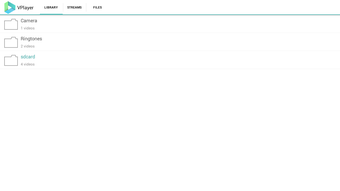
The user interface of VPlayer is structured to prioritize accessibility and intuitive navigation. Core functions—video playback, music, photos, and web browsing—are organized into clearly labeled sections, enabling quick access. Navigation is designed to be straightforward, with minimal steps required to start playback or manage media.
The workflow efficiency is enhanced by features like playlist creation, picture-in-picture, and remote control, which reduce the need to switch between apps. The app’s performance is consistent with typical Android media applications, offering smooth playback for supported formats. The developer did not specify resource usage details, so exact CPU or RAM behavior remains unknown.
Stability during extended use has not been documented. General performance observations are based on standard Android application behavior patterns. Users can expect responsive interactions, though actual performance may vary depending on device hardware and media file complexity.
Compatibility & System Requirements
VPlayer Video Player is designed for the Android operating system and is compatible with devices running Android 5.0 and above. The application has a file size of 18.7 MB, indicating a lightweight footprint that should not significantly impact storage. The developer did not specify exact system requirements, including minimum RAM, processor speed, or GPU capabilities.
Compatibility information was partially provided, with the operating system and version clearly stated. Users should ensure their device meets the minimum Android version requirement to install and run the app. No information was provided regarding support for tablets, wearables, or other Android-based devices.
The app’s compatibility with external hardware, such as smart TVs or Bluetooth audio devices, is not detailed.
Pros and Cons
Pros
- Supports a wide range of video and audio formats without conversion
- Integrates video, music, photo, and web browsing in one app
- Offers advanced features like picture-in-picture and sleep timer
- Lightweight installation size of 18.7 MB
- Free to download and use
- Includes remote control for convenient playback management
Cons
- Exact system requirements were not listed
- Performance details under varying conditions were not provided
- Limited information on compatibility with non-smartphone Android devices
- Remote control functionality may require additional setup
- No official documentation or user guides were referenced
FAQ Section
Is VPlayer compatible with all Android devices?
VPlayer is designed for Android 5.0 and later. Compatibility may vary depending on device hardware and manufacturer-specific restrictions.
Is VPlayer safe to download and use?
As a free app developed by ABitNo, VPlayer is available through official Android channels. Users should ensure downloads come from trusted sources to maintain security.
Does VPlayer require an internet connection?
Basic video and audio playback does not require internet access. However, web browsing, streaming, and remote control features depend on an active connection.
Can I use VPlayer offline?
Yes, VPlayer supports offline playback of locally stored videos, music, and photos. All core features function without internet access.
How often are updates released?
Regular updates are likely, though the release frequency was not specified. Users should check for updates through the app store or developer channel.
Final Thoughts + CTA
VPlayer Video Player stands out as a feature-rich, free media solution tailored for Android users seeking a unified platform for video, audio, photo, and web-based content. Its ability to handle diverse formats, combined with advanced features like picture-in-picture, sleep timer, and remote control, makes it a strong contender for everyday multimedia needs. While detailed system requirements and performance benchmarks are not available, the app’s lightweight design and broad format support enhance its appeal.
It is particularly beneficial for users who value convenience, integration, and offline functionality. For those looking for a reliable, all-in-one media tool on Android, VPlayer delivers a compelling experience. Download VPlayer Video Player now.






.png)
